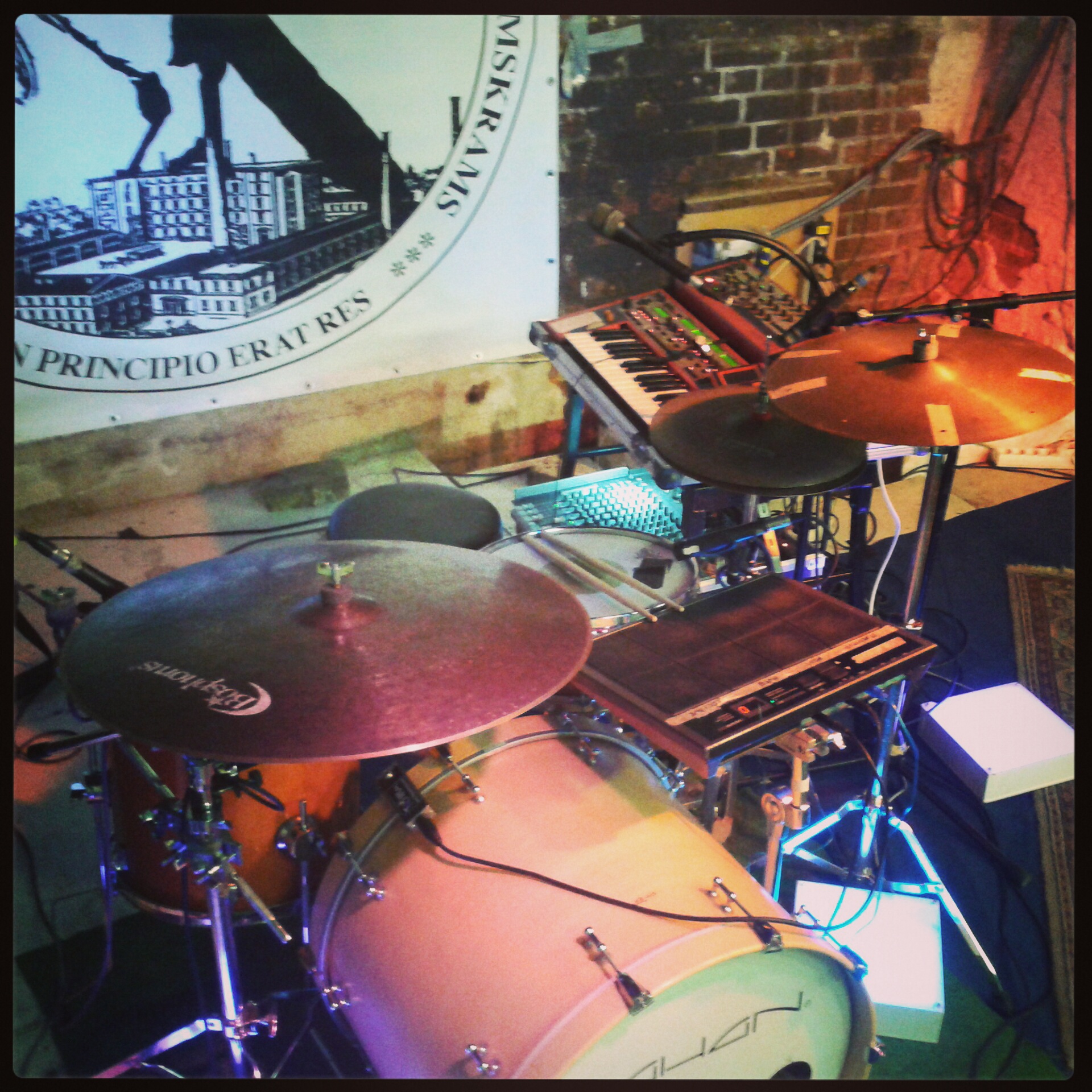
I've been experimenting with electronic music instruments since my childhood. The most notable technological influences were my father's Revox B77 MKII tape machine, a Radioshack digital reverb/delay effect, my first Yamaha CS1x synthesizer, and an occasional encounter with the impressive Yamaha CS-15 analog synthesizer. Later, I've started to experiment with drum trigger pads and the Roland SP404 sampler (as can be heard here) and built my own MIDIBox controller to control an early version of Ableton Live and the open source Freewheeling looper.
It was around 2007, however, that I developed the concrete idea to create unique, interactive electronic music as a solo performer using acoustic drums and synthesizers. My goal was to design a flexible environment similar to a 'one-man-band', where I can control as many functions as possible using my drumsticks and foot pedals – most importantly without playback, laptop or even just a screen in front of me. I started to assemble a dedicated setup based on principles that I premiered in a live performance in Berlin and still follow and evolve until today.
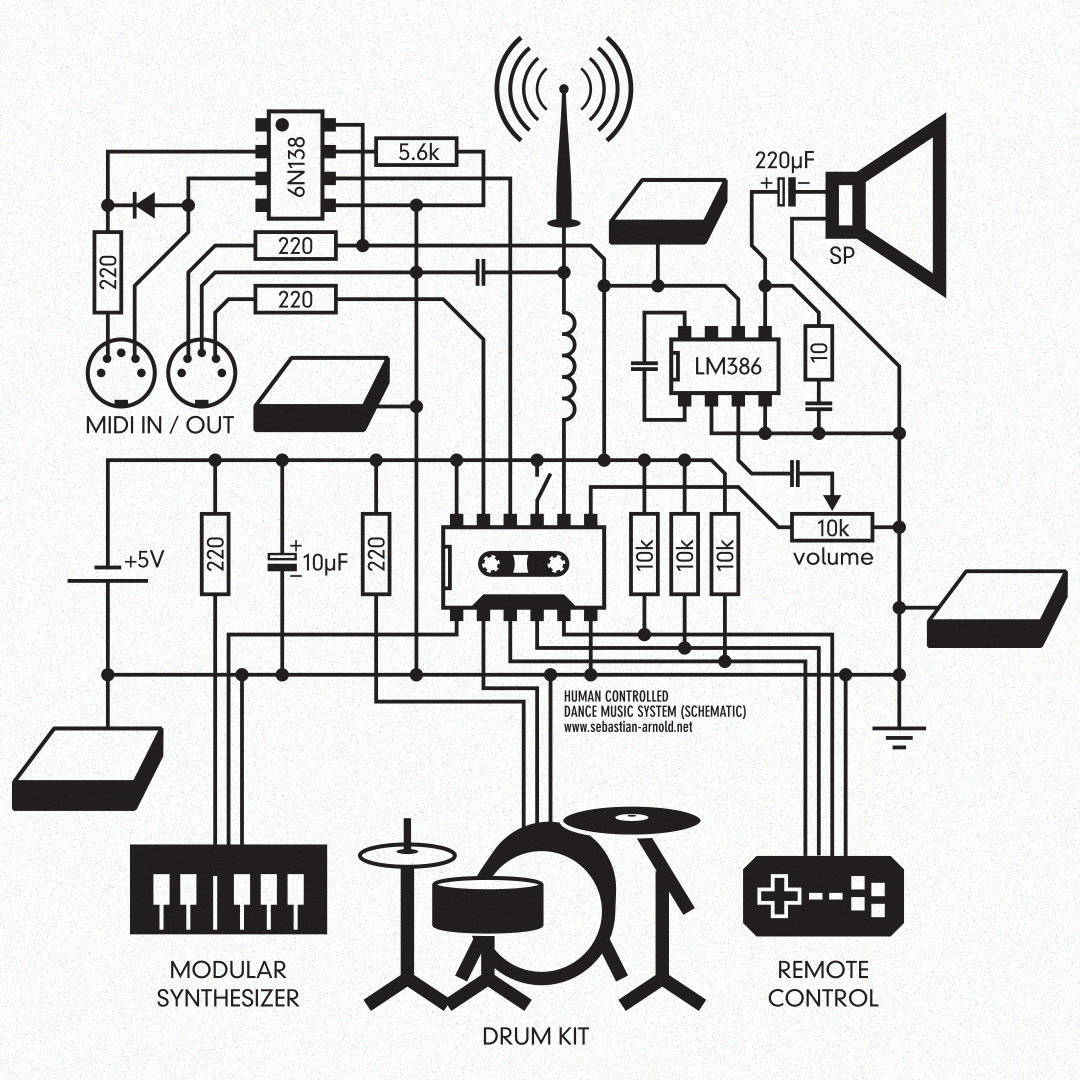
The key building blocks of my Live Setup —
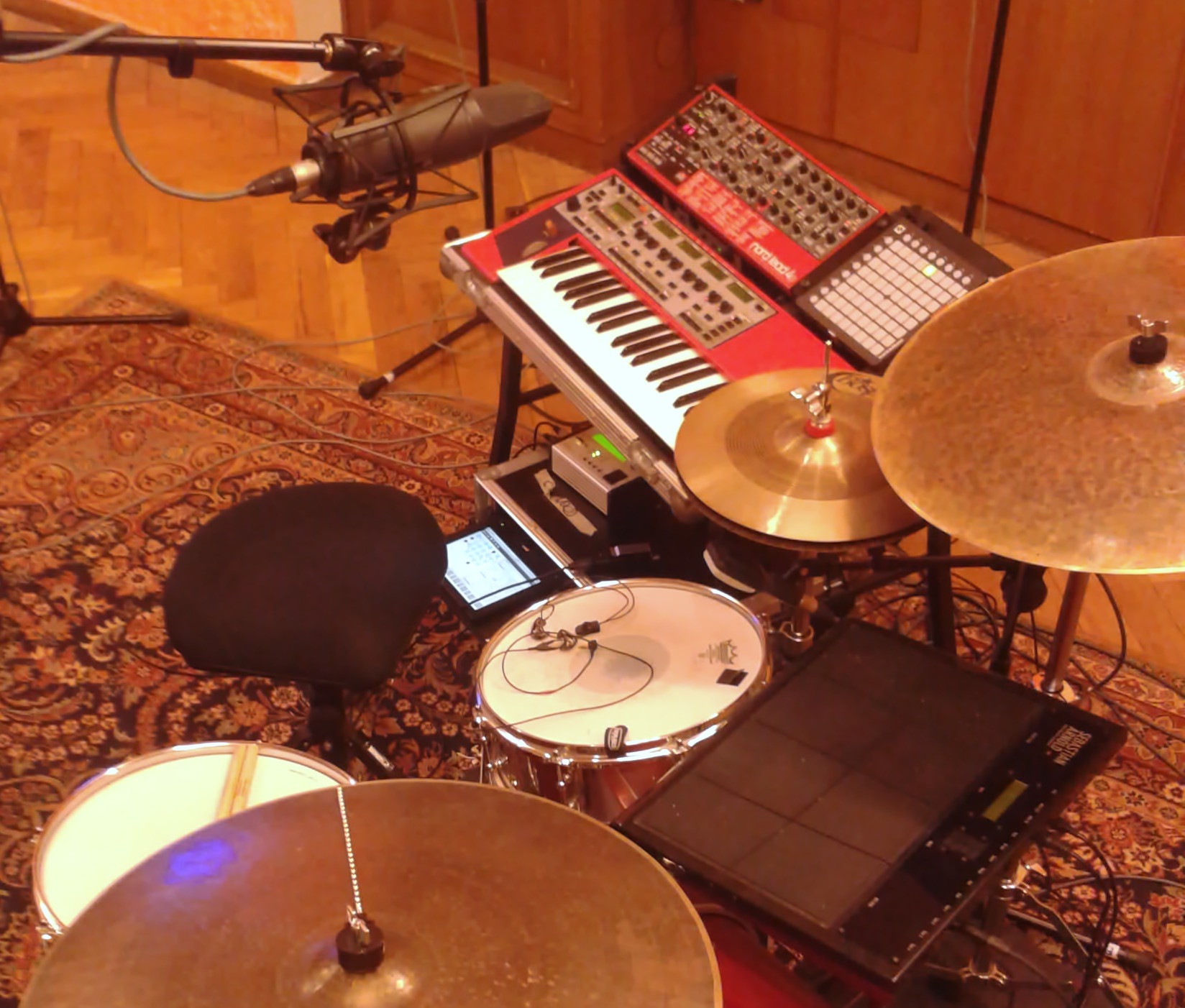
The Drum Kit is the acoustic instrument that forms the the heart of the live performance. Nothing sounds more organic than a lively resonant snare drum, wooden kick and an expressive pair of hihats. I've been playing WAHAN Drums since the early 2000s and still happy owner of a custom 12/14/20 beech kit. I'm enhancing the kit with Drum Triggers and Trigger Pads to produce electronic sounds and physically interact with the eleectronic system.
Synthesizers create the electronic sounds, such as bass lines, arpeggios, chords or pads. I prefer simple layout hardware synthesizers that offer one function per knob, giving me the opportunity to craft my sound entirely from scratch and spontaneously modify it as I'm playing. I'm not very particular when it comes to analog vs. digital synths – but I very much rely on the functionality to save and restore presets, and multitimbrality has always been a great helper when it comes to keep the setup compact. But as I also love the sound of the Rhodes, I often use a software emulation to get access to a variety of electric piano sounds.
A Sequencer plays back predefined music patterns to the synthesizers via MIDI, and needs to offer somewhat interactive elements, such as start, stop, restart and a selection of variations. I'm very much interested in making sequencers sound organic and 'live', and often use techniques like polyrhythms, randomization and manual step triggering to create the illusion of a conversation between myself and the sequencer.
The Live Looper is a helpful tool to emulate the sound of a whole band from a single performer. It records audio signals and plays them back repeatedly over and over, enabling the performer to layer multiple tracks on top of each other. Loopers come with the risk of sounding too repetitive, or taking over the whole song when used too prominently. So I mostly use loopers for percussive tracks, synchronized with the sequencer or for one-shot melodies that will be played live once and then re-triggered manually.
The Mixer finally takes all the sound signals and produces a stereo sum to be sent out to the speakers. I always rely on the front of house to mix my acoustic drum sound, but want the full control of my synthesizers, effects and electronic drum sounds. I see the electronic instruments mixdown as part of the creative process, enabling me to modulate and filter individual sounds, add rhythmic delay effects to synthesizers and wide reverb spaces to my voice and piano sounds. I also often use a dedicated microphone on my drum kit to create rhythmic effects from the acoustic signal.
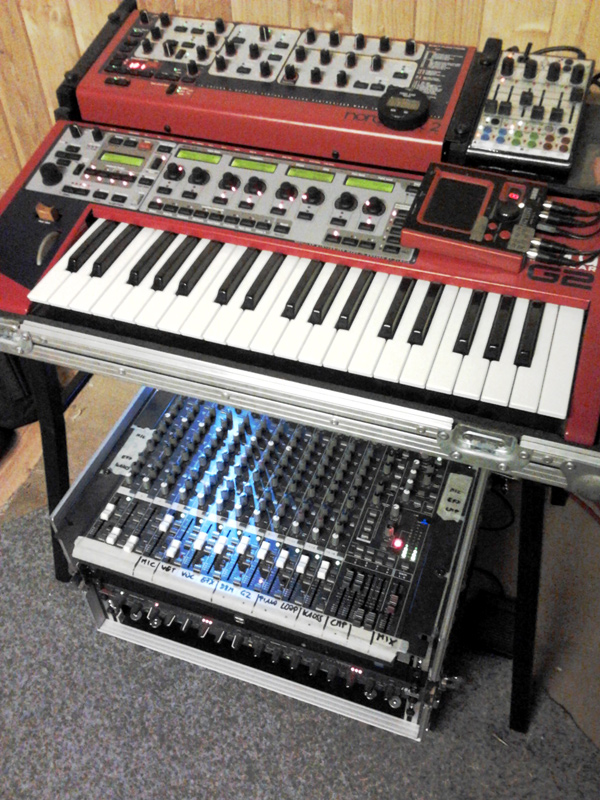

DAW-less setup with analog mixer (2007–2013) —
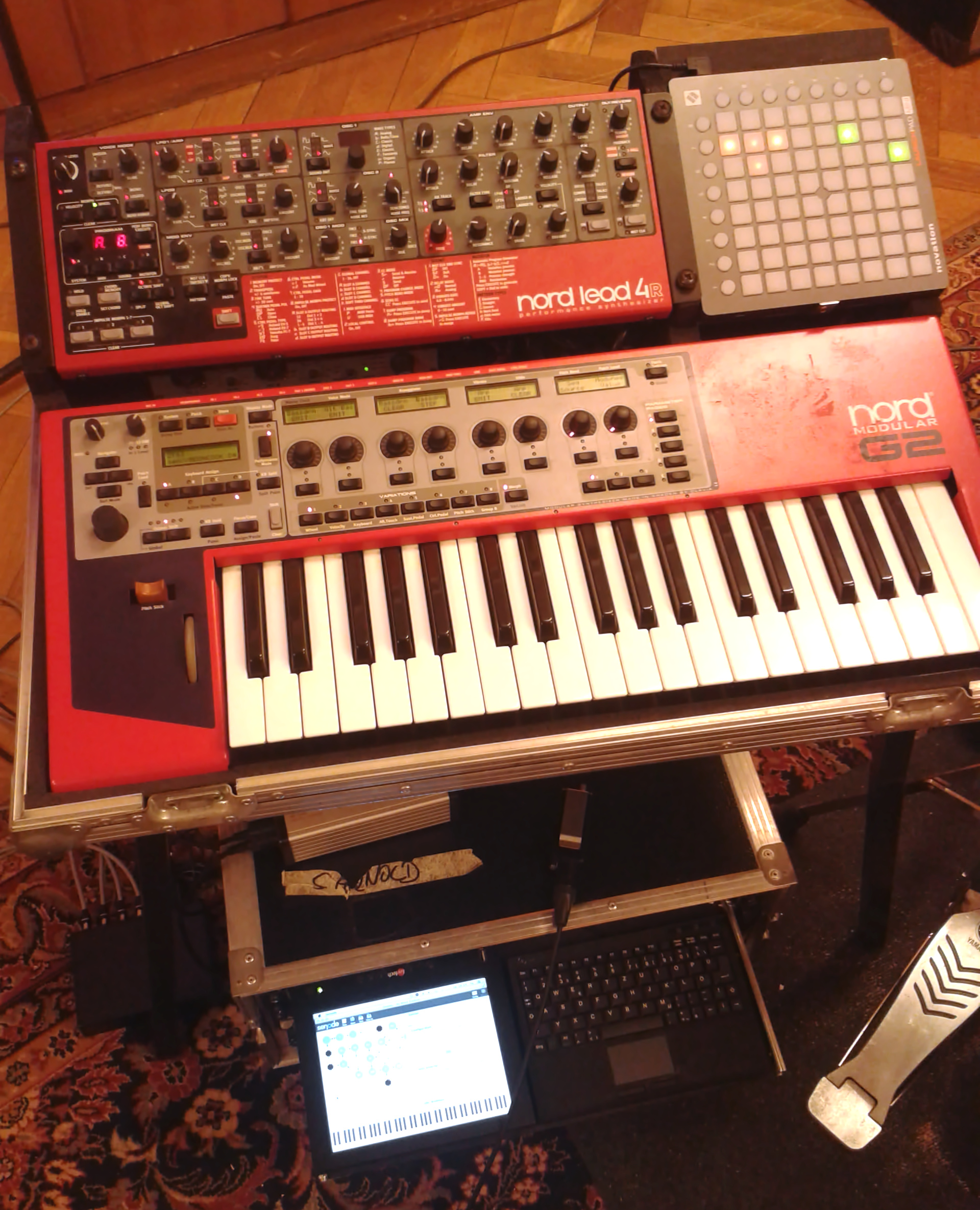
Back in the days, the heart of my system was the Clavia Nord Modular G2 Synthesizer. It is a powerful digital machine that allows to freely combine elementary building blocks, and I used it to produce almost all of the sounds and sequences, including the handling of drum triggers. I accompanied it with a Nord Lead Rack 2 synthesizer to relieve the G2's memory and extend the range of sounds I could play simulataneously. It also adds more interaction elements, allowing me to shape the sounds on the front panel live while performing.
The looper was running on an embedded Debian Linux machine with realtime kernel, running Jesse Chappell’s excellent open source SooperLooper software. The linux system also served as a Soundfont player using FluidSynth to play more realistic piano, Rhodes and Wurlitzer sounds. Everything was mixed down using an analog stereo mixer, where I used the solo bus to dynamically select the inputs for the loop recording (i.e. a vocal or drum microphone or synthesizer).
For the trigger signals, I used an Alesis Control Pad with 8 pads, trigger and footswitch inputs. The signals were routed using a self-built hardware MIDI Router, which also distributed the MIDI clock from the G2 to the looper. Please see my popular video "Insert Coin" for this system in action:
Going digital with Max/MSP (2013–2020) —
With more and more touring, including occasional flights, my goal was to replace the analog mixer with something more compact. In addition, I needed automation to be able to switch faster between songs and concentrate on my performance and the audience rather than the mixing desk. I couldn't find a compact digital mixer on the market with enough flexibility and didn't want to rely on a computer to process all my sounds to avoid failure situations.
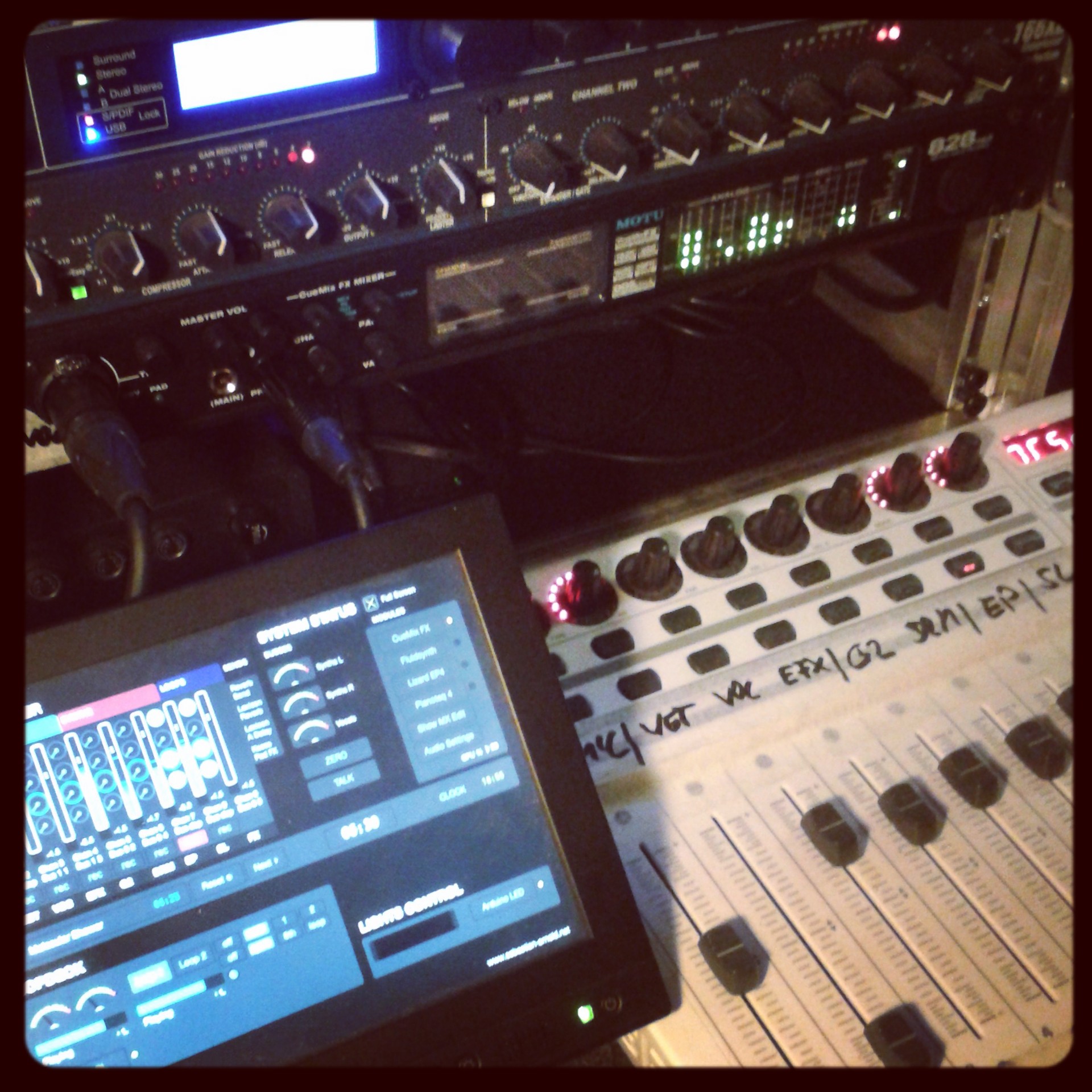
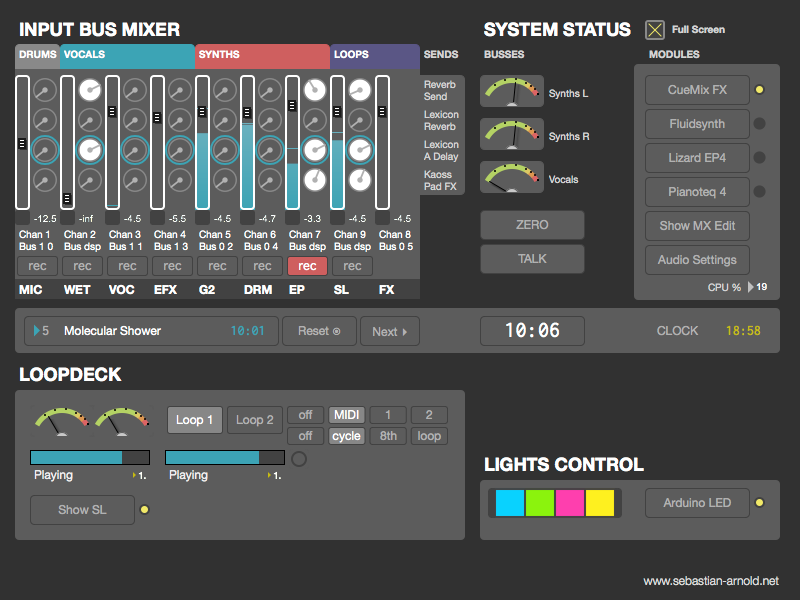
I came up with a DIY solution based on the MOTU 828mk3 audio interface, that is able to handle zero-latency audio mixing in standalone mode, i.e. with no computer attached. I used a Mac Mini and MIDI motor fader controller to control the MOTU mixer via Open Sound Control (OSC) from a big Max patch. The graphical window of this patch automatically started on an 8" touch screen and was my only interface to the computer.
The patch included some oftware synthesizer modules as well: I used FluidSynth, Lounge Lizard EP4 and the efficient but versatile Pianoteq 4 as permanently active soft synths. A patch management module enabled recall of aux send assignments and synth patches and included a clock and set timer :smile:. SooperLooper was controlled via OSC and I even added a light controller, which interfaced an Arduino for some sequencer-controlled RGB LED light effects.
In 2014, I replaced the Nord Lead 2 with a Nord Lead 4 Rack, which added more versatile effects and modulation options. And I began to integrate the first prototype of my Senode sequencer into the setup, which added much more flexibility for composing and performing.

Switching to iPad host and Senode sequencer (2021–now) —
After a longer break during my PhD, starting a family and going through the pandemic, I assembled a new version of the live setup. In the meantime Senode had grown into a well established product, and all my compositions were based on it as the main performance tool. I retired the Nord Modular G2 and Max patch and replaced it with an iPad-based setup, running Drambo, Senode, Loopy Pro, VTines Live and Pianoteq. I kept the hardware-based synth setup switching to a Korg Multi/Poly synthesizer and Toraiz AS-1 analog bass synthesizer. I also added the Elektron Syntakt for analog drum sounds, giving me the opportunity to go fully electronic if needed.
An Akai MPK249 serves as the main interface to the synthesizers, mixers and sequencer control. I built my own Opendeck MIDI controller to control drum effects and loopers and recently helped to fund the afk:audio drumbeam, a versatile drum trigger bar that is now part of my setup. With the growing number of USB devices, I also started to build my own USB/MIDI router using a Raspberry Pi, to make sure the system continues to operate even in case the iPad fails.

As the journey of the live setup goes on, I will continue to update this post with the newest changes.